
Tensor. Shopify theme
Tensor is a premium Shopify theme, built on Online Store 2.0, that combines product storytelling, flexible merchandising and low-friction buying journeys. A single maintained codebase supports five visual directions: Tensor, Albedo, Scalar, Caliper and Proof. It is developed by Francesco Guiducci for IFG Development.
The theme is under review: it is not yet available. For information write to Francesco Guiducci.

Demo stores
Five presets, one theme
The same code changes character: each preset has its own typography, colours and composition. Here they are seen in five demo stores.
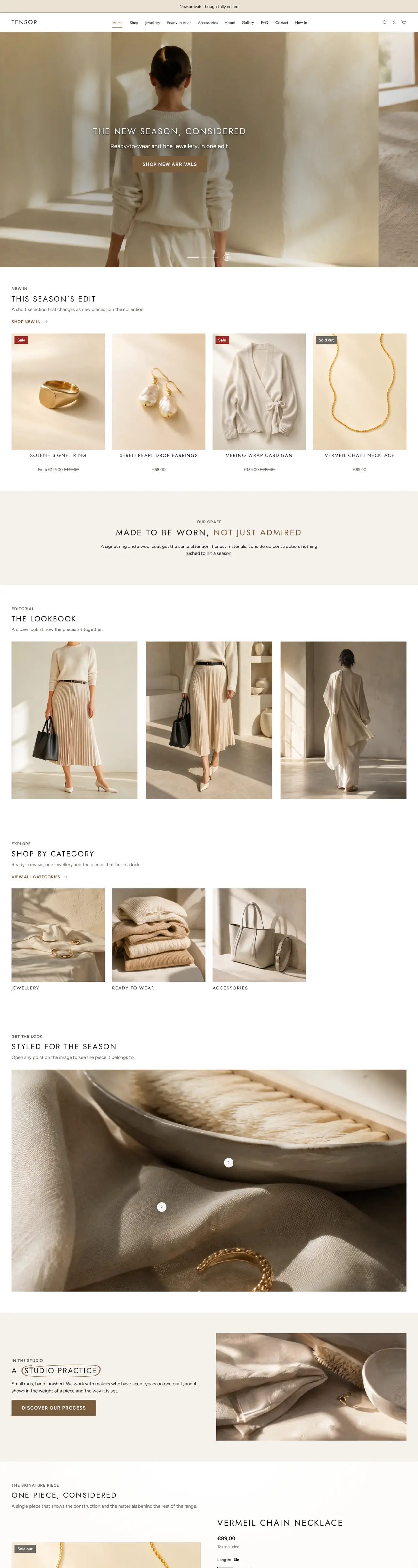
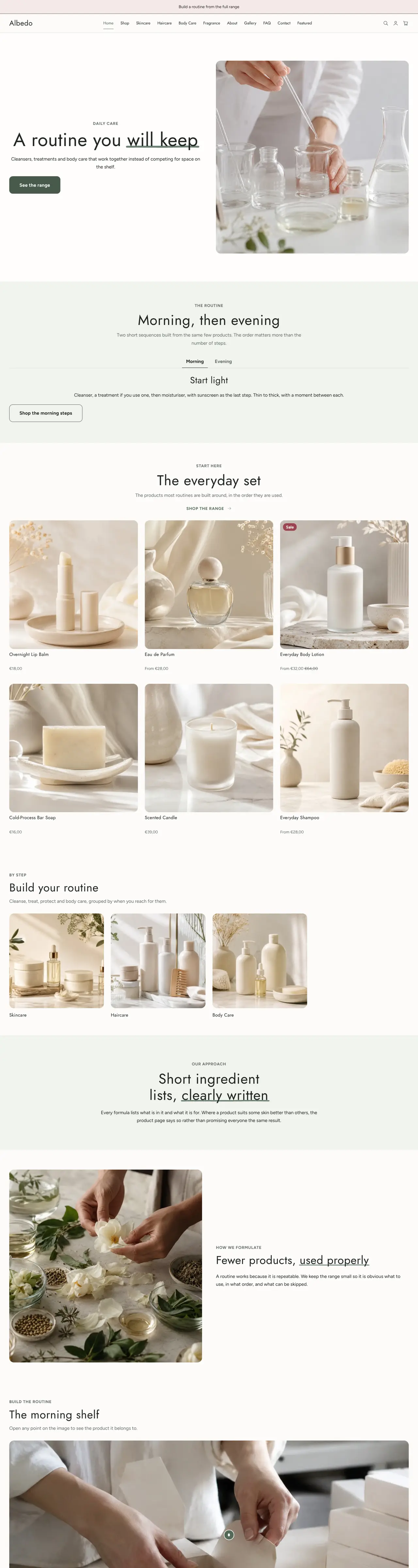

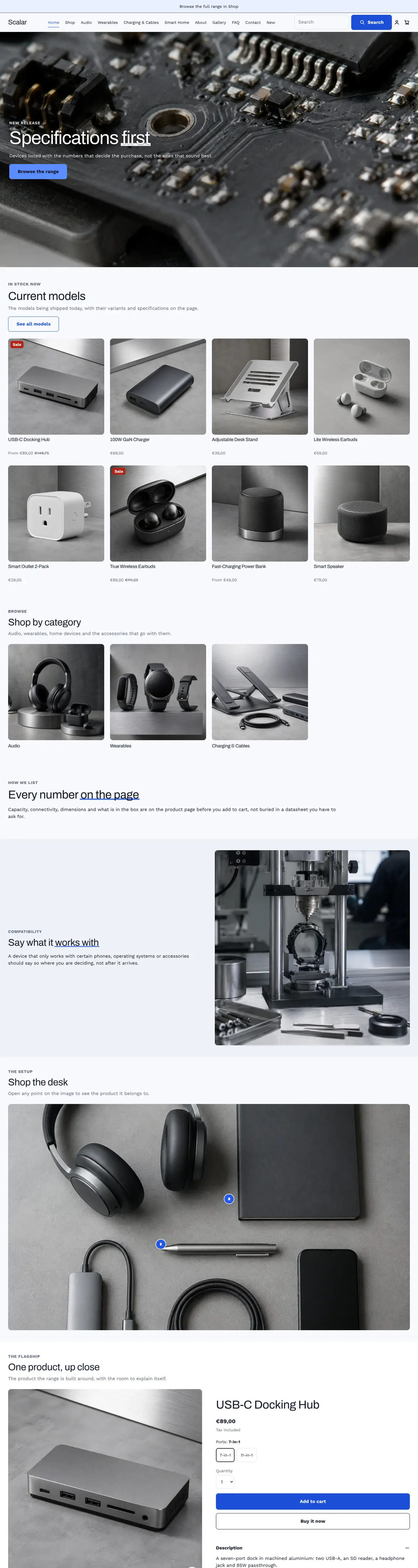

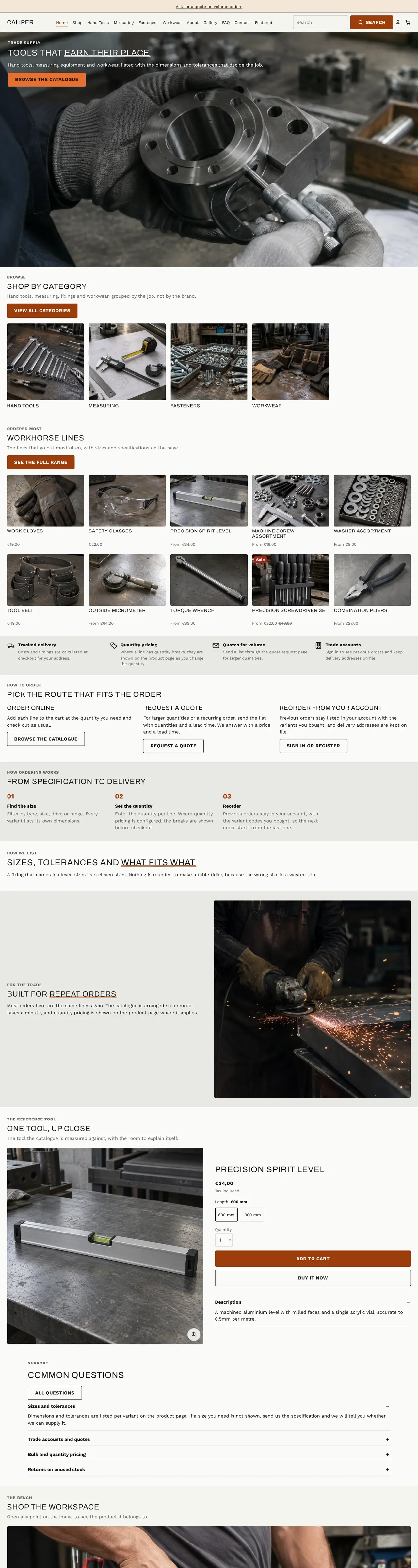

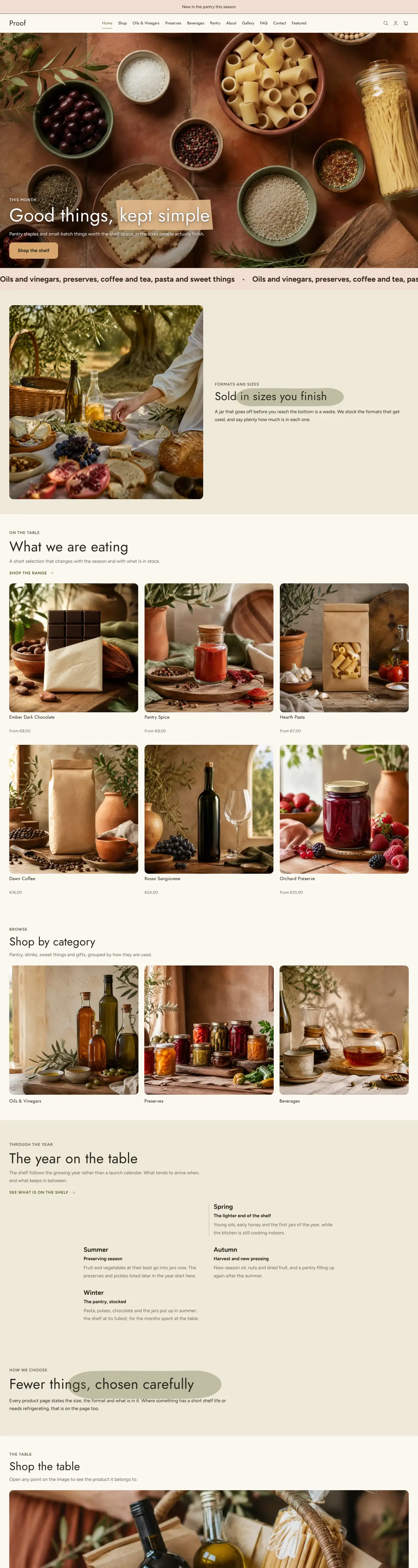

- 5presets on the same code: Tensor, Albedo, Scalar, Caliper and Proof
- OS 2.0Online Store 2.0: sections, blocks and Theme Editor
- 0page builders needed
- 5storefront languages: English, French, German, Italian and Spanish
The stores shown are demos: products, images and texts are samples and do not belong to clients. The screenshots were taken on 17 October 2026.
At a glance
- TypeShopify theme
- ModelOnline Store 2.0: sections, blocks and Theme Editor settings
- PresetsFive: Tensor, Albedo, Scalar, Caliper and Proof
- Page builderNot required
- Storefront languagesEnglish, French, German, Italian and Spanish
- Developed byFrancesco Guiducci, IFG Development
- AvailabilityUnder review: date and terms not announced yet
The problem it addresses
Many stores accumulate apps and page builders over time to get polished layouts, rich product presentation and merchandising tools. Each addition is one more component to maintain and a possible point of failure.
Tensor brings some of these surfaces into the theme: rich media, editorial sections, predictive search, filters, quick view, cart drawer, recommendations. It follows the criterion IFG applies to its projects too: configurability, consistency across pages and features declared only when they are really in the package.
How it works
- 1. Pick a presetTensor, Albedo, Scalar, Caliper or Proof: five visual directions on the same code.
- 2. Configure from the Theme EditorOnline Store 2.0 sections, blocks and settings, with no page builder needed.
- 3. The catalogue stays the merchant’sThe preset changes the theme’s presentation and composition, not products, catalogue or inventory.
- 4. Enable the surfaces you needPredictive search, filters, quick view, cart drawer, recommendations and the other features are available where configured.
Main features
- Five presetsTensor, Albedo, Scalar, Caliper and Proof cover different visual directions while sharing the same theme runtime.
- Product storytellingRich media, editorial sections and layouts designed to present product, context and details without a page builder.
- Catalogue discoveryPredictive search, filters, mega menu and navigation surfaces help find the right product quickly.
- Commerce UXQuick view, sticky add to cart, variant-linked media and cart drawer cut unnecessary steps in the buying journey.
- MerchandisingRecommendations, cross-sell, preorder presentation, gift wrapping, size guide and dedicated sections are available where configured.
- LocalisationStorefront translations in English, French, German, Italian and Spanish, with language and country controls.
When it makes sense
- Catalogue to present with careRich media and editorial sections tell the product story beyond the standard product page.
- Store selling in several marketsFive languages included and language and country controls.
- Wanting fewer appsPart of the merchandising and navigation surfaces sits in the theme, with fewer external components to maintain.
Scope and limits
Tensor is not a universal replacement for apps: some features require external services or configuration. The theme does not guarantee legal compliance, regulatory accessibility, absolute performance or automations outside the scope of a Shopify theme.
Frequently asked questions
- What is Tensor?A premium Shopify theme, on Online Store 2.0, with five visual presets, flexible merchandising and a storefront journey designed without a page builder.
- Is Tensor one theme or five different themes?It is a single theme with five visual presets that share the same maintained code.
- Does changing preset change my products?No. The preset changes the theme’s presentation and configuration; catalogue, products and inventory stay the merchant’s.
- Do I need a page builder?No. Tensor is built on the Online Store 2.0 model and uses sections, blocks and Theme Editor settings.
- Does the theme replace all Shopify apps?No. It includes many storefront surfaces, but it is not a universal replacement for features that require a backend, automations or external services.
- Which languages are included in the theme?The storefront translations included in the package are English, French, German, Italian and Spanish.
- How do I get it?The theme is under review and is not yet available. For information you can write to Francesco Guiducci from the Contact page.
Where to find it
The theme is under review: it is not yet available. For information write to Francesco Guiducci.
Related products and further reading
- IFG AI ChatAI assistant for the storefront, based on the store’s real data, with WhatsApp and Telegram channels.
- IFG Build Your BoxMix & Match builder with a fixed box price and selection rules.
- IFG ReviewsCollection, moderation and publication of product and store reviews.
- All IFG Development productsApps and themes for Shopify and apps for Apple and Android.
- Custom Shopify developmentFor a store’s specific needs: integrations, theme extensions, particular logic.
- Francesco GuiducciThe founder who designs and develops IFG Development’s products.